使用 Open XML SDK中的类以编程方式往演示文稿中指定的幻灯片插入图片
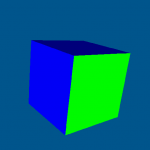
本文演示如何使用 Open XML SDK中的类以编程方式往演示文稿中指定的幻灯片插入图片。
       public static void AddImage(string file, int slideIndex, string image, long OffsetX = 0, long OffsetY = 0, long ExtentsX = 1000000, long ExtentsY = 1000000)
        {
            using (var presentation = PresentationDocument.Open(file, true))
            {
                SlidePart slidePart = GetSlidePartbyIndex(presentation, slideIndex);

                var part = slidePart
                    .AddImagePart(ImagePartType.Png);

                using (var stream = File.OpenRead(image))
                {
                    part.FeedData(stream);
                }

                var tree = slidePart
                    .Slide
                    .Descendants<DocumentFormat.OpenXml.Presentation.ShapeTree>()
                    .First();

                var picture = new DocumentFormat.OpenXml.Presentation.Picture();

                picture.NonVisualPictureProperties = new DocumentFormat.OpenXml.Presentation.NonVisualPictureProperties();
                picture.NonVisualPictureProperties.Append(new DocumentFormat.OpenXml.Presentation.NonVisualDrawingProperties
                {
                    Name = "My Shape",
                    Id = (UInt32)tree.ChildElements.Count - 1
                });

                var nonVisualPictureDrawingProperties = new DocumentFormat.OpenXml.Presentation.NonVisualPictureDrawingProperties();
                nonVisualPictureDrawingProperties.Append(new DocumentFormat.OpenXml.Drawing.PictureLocks()
                {
                    NoChangeAspect = true
                });
                picture.NonVisualPictureProperties.Append(nonVisualPictureDrawingProperties);
                picture.NonVisualPictureProperties.Append(new DocumentFormat.OpenXml.Presentation.ApplicationNonVisualDrawingProperties());

                var blipFill = new DocumentFormat.OpenXml.Presentation.BlipFill();
                var blip1 = new DocumentFormat.OpenXml.Drawing.Blip()
                {
                    Embed = slidePart.GetIdOfPart(part)
                };
                var blipExtensionList1 = new DocumentFormat.OpenXml.Drawing.BlipExtensionList();
                var blipExtension1 = new DocumentFormat.OpenXml.Drawing.BlipExtension()
                {
                    Uri = "{28A0092B-C50C-407E-A947-70E740481C1C}"
                };
                var useLocalDpi1 = new DocumentFormat.OpenXml.Office2010.Drawing.UseLocalDpi()
                {
                    Val = false
                };
                useLocalDpi1.AddNamespaceDeclaration("a14", "http://schemas.microsoft.com/office/drawing/2010/main");
                blipExtension1.Append(useLocalDpi1);
                blipExtensionList1.Append(blipExtension1);
                blip1.Append(blipExtensionList1);
                var stretch = new DocumentFormat.OpenXml.Drawing.Stretch();
                stretch.Append(new DocumentFormat.OpenXml.Drawing.FillRectangle());
                blipFill.Append(blip1);
                blipFill.Append(stretch);
                picture.Append(blipFill);

                picture.ShapeProperties = new DocumentFormat.OpenXml.Presentation.ShapeProperties();
                picture.ShapeProperties.Transform2D = new DocumentFormat.OpenXml.Drawing.Transform2D();
                picture.ShapeProperties.Transform2D.Append(new DocumentFormat.OpenXml.Drawing.Offset
                {
                    X = OffsetX,
                    Y = OffsetY,
                });
                picture.ShapeProperties.Transform2D.Append(new DocumentFormat.OpenXml.Drawing.Extents
                {
                    Cx = ExtentsX,
                    Cy = ExtentsY,
                });
                picture.ShapeProperties.Append(new DocumentFormat.OpenXml.Drawing.PresetGeometry
                {
                    Preset = DocumentFormat.OpenXml.Drawing.ShapeTypeValues.Rectangle
                });

                tree.Append(picture);
            }
        }